
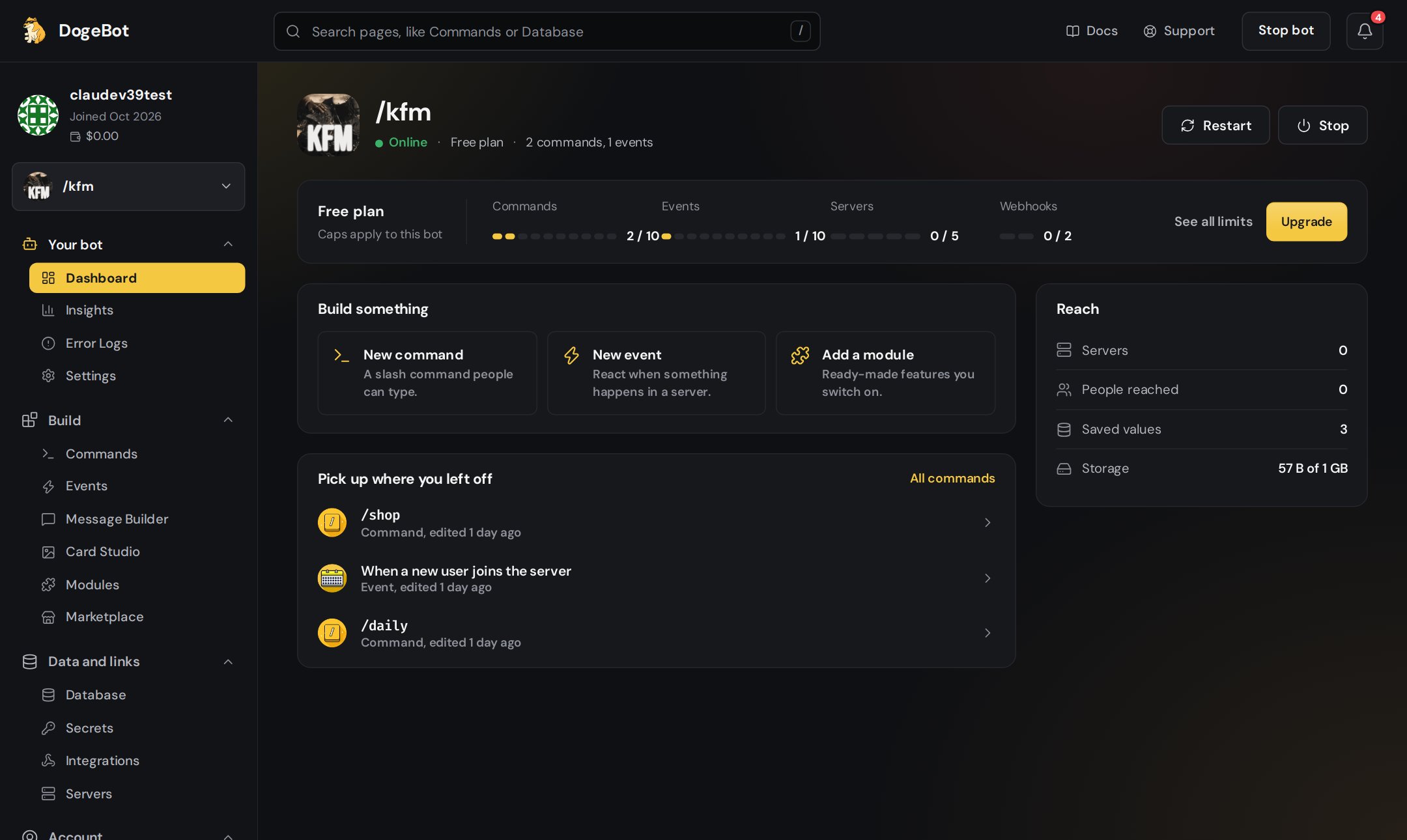
The Dashboard page shows if your bot is online, with its power buttons
Fix it
1
Press Start bot
Open the Dashboard page. If your bot is offline, DogeBot asks: “Start it now?”. Press Start bot. After a few seconds you should see a green dot and Online.
2
Try Restart bot
Still acting strange? Open Bot settings and press Restart bot. It turns your bot off and on again.
3
Check your token
Did you press Reset Token on the Discord Developer Portal? Then your old token stopped working. Copy the new token, open Settings and press Update token. Paste it and save.
4
Check Maintenance mode
If your bot is online but answers every command with a short notice, Maintenance mode is on. Turn it off in Bot settings.
5
Look at Error Logs
Open Error Logs to see if something went wrong.
Only the bot’s owner can change the token. Collaborators with the Operator role or higher can start, stop and restart the bot.
Your bot keeps running when you close dogebot.net or turn off your computer. You do not need to keep DogeBot open.