
Making a new command
Open Commands in the sidebar and press New command. You get three choices: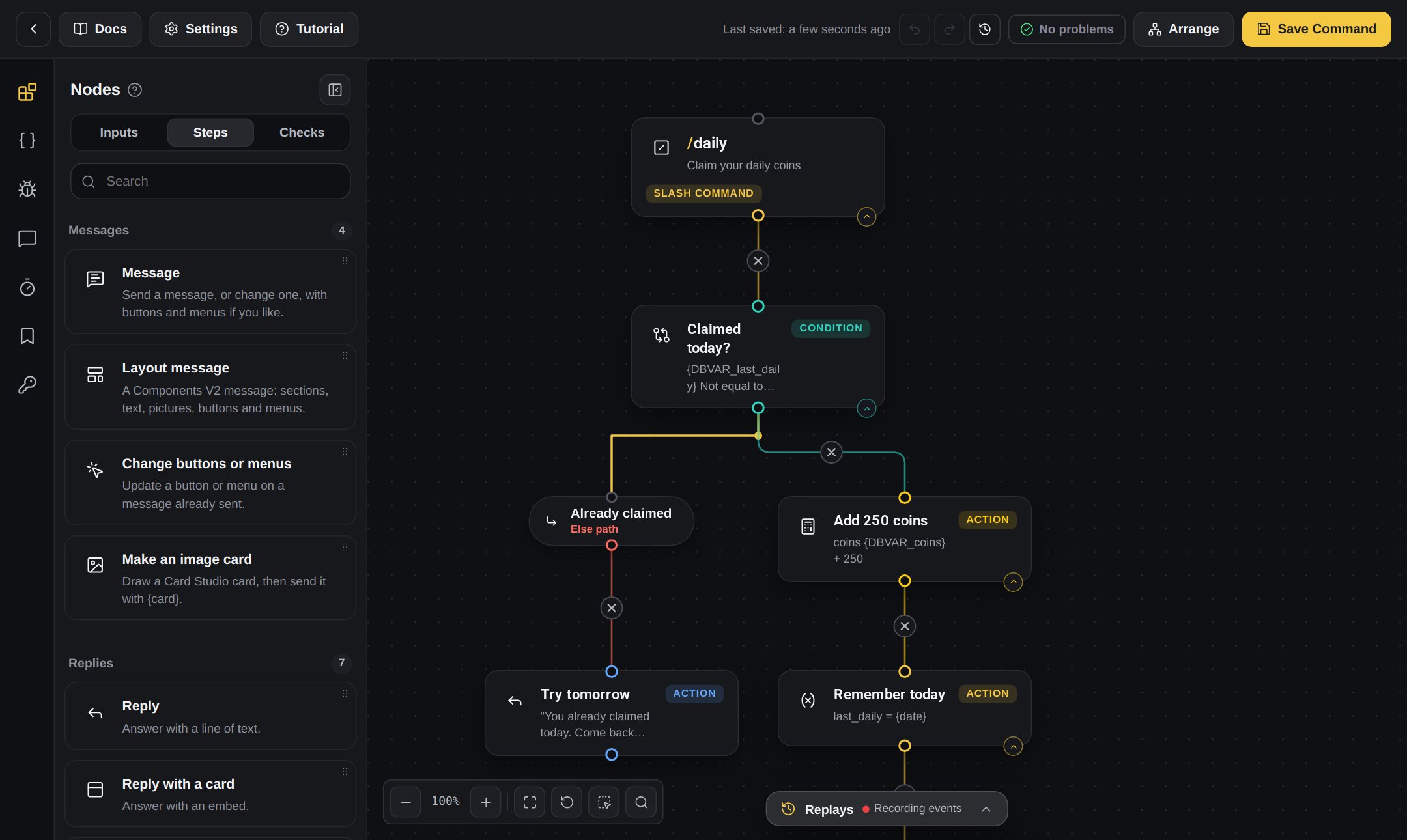
A slash command in the Command Builder
The two kinds of commands
- Slash commands
- Context (right-click) commands
The person types / and the name, like
/daily. Discord shows a list of your bot’s commands while they type.Slash commands can ask for extra things, called Inputs. See below.Command names must be small letters with no spaces. Use a dash for two words, like
daily-coins.Inputs
Inputs are the extra boxes a person fills in when they use a slash command.Example: /give
/give asks who (a User input) and how many (a Number input).The person types: /give @Sam 50The kinds of Inputs
How to add an Input
1
Open your slash command
Open your slash command in the builder.
2
Open the Inputs tab
In the block list, open the Inputs tab.
3
Drag it in
Drag the Input you want onto the board and join it under the first block.
4
Name it
Press it and give it a name (small letters, no spaces) and a description. People see the description in Discord.
5
Required or optional
Choose if the person must fill it in, or if it is optional.
Using what the person filled in
Every Input gives you a value you can use in later blocks. Press the { } Variables button next to any text box and pick it from the list. You can use it in messages, in Compare checks and in Do the maths. See Daily coins and A shop with items for full examples.The Commands list
- Search your commands, and filter by All, Slash or Right-click.
- Each row has an on/off switch. A command that is off does not show in Discord.
- Open opens the builder.
- ⋯ has share code, duplicate, version history, tags, note, colour, move to folder and delete. See Folders, history and sharing.
- Group commands into folders, like Moderation.
If something breaks
Press the first block of a command. In its settings, If something breaks decides what your bot does if a block fails. See Saving and fixing problems.My command does not show in Discord
1
Did you save?
Press Save in the builder.
2
Is it on?
Check the command is switched on in the Commands list.
3
Restart Discord
Close Discord completely and open it again.
4
Sync
Still missing? In your bot’s Settings, use Sync Discord commands to send all your commands to Discord again.