
What you'll build
/daily: get 100 coins, once every 24 hours./balance: see your coins and your place./work: earn coins, with a lucky bonus./give: give coins to a friend./add-coins: staff only, add coins to anyone.
The variables to make
On the Database page, open Start from scratch and make these two. Or open What do you want to make? and add Coins. See Make a variable.
Now
{DBVAR_coins} means “the coins of the person using the command”.
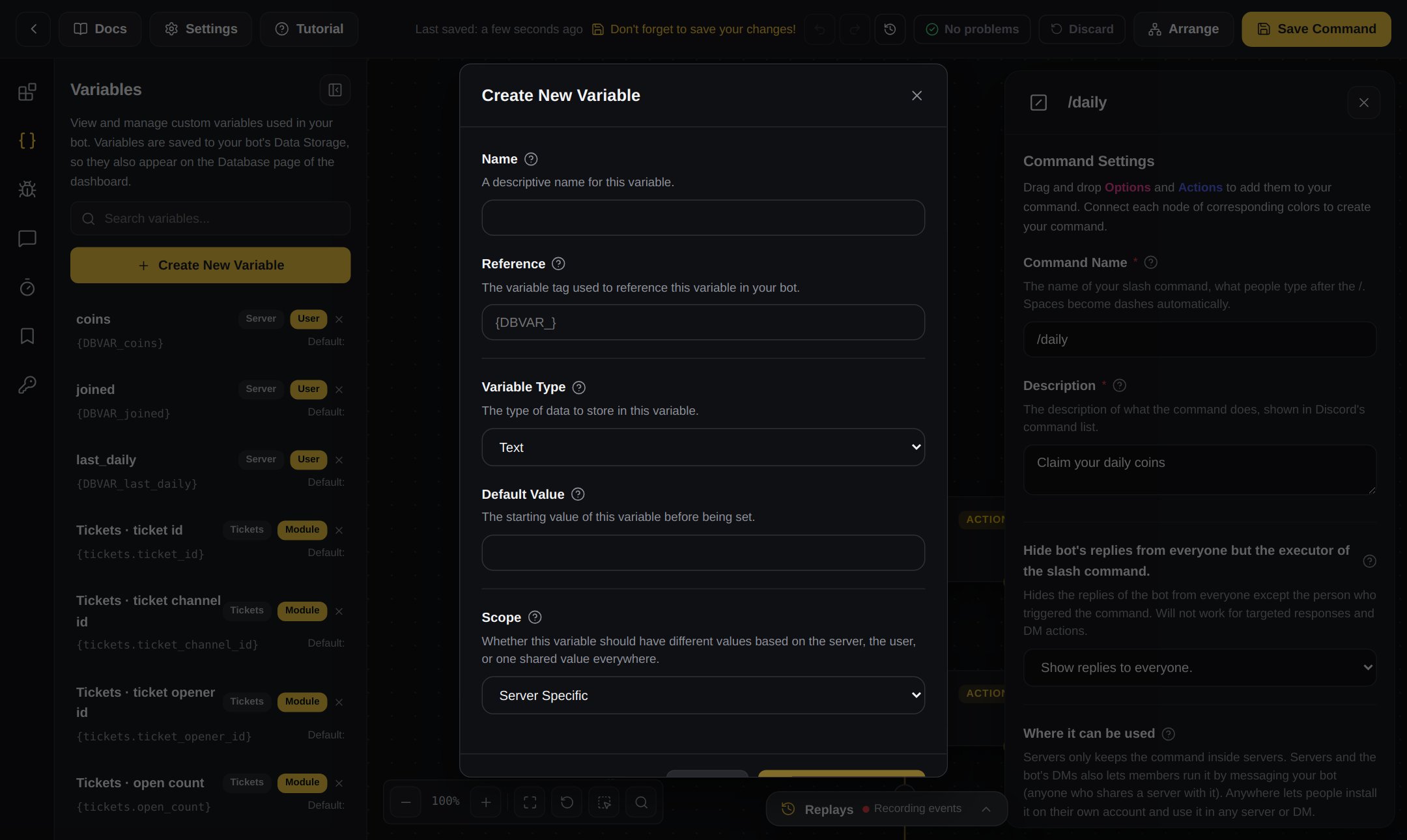
Making a variable in the builder
/daily
A day is 86400 seconds. The bot saves the time of the last claim, and checks if 86400 seconds have passed.1
Make the command
Make a new Slash command called
daily, description Get your daily coins.2
Add a Compare check
Join a Compare check under the command.
- Base Value:
{solve_equation[{time_now_unix} - {DBVAR_last-daily}]} - Comparison Type:
Less Than - Comparison Value:
86400
3
Too soon: straight under the check
Add a Reply:
4
Give the coins: under the Else block
Add these blocks, in this order:
- Do the maths: Custom Variable
coins, Whose variable The member who started this, Equationvar + 100, Rounding Whole number. - Save a value: Custom Variable
last-daily, Whose variable The member who started this, Value{time_now_unix}. - Reply:
You got 100 coins! You now have {DBVAR_coins.formatted}.
5
Save
Press Save.
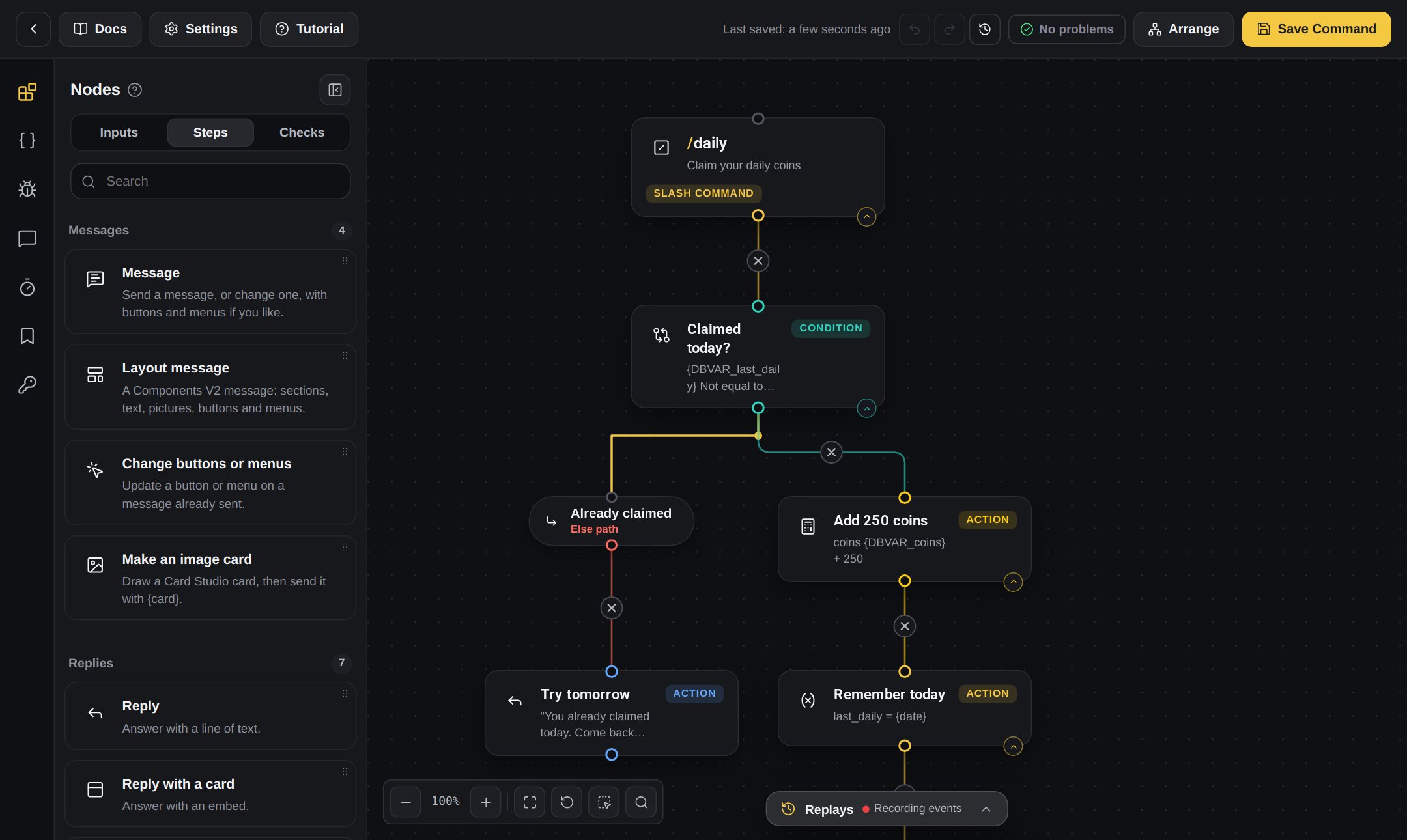
A command in the builder
/balance
1
Make the command
A Slash command called
balance, description See your coins.2
Add a Reply
3
Save
Press Save.
/work
1
Make the command
A Slash command called
work.2
Pay for the work
Do the maths on
coins, Whose variable The member who started this, Equation var + 25.3
A lucky bonus
Add a Random chance check under it, set to 10%.
4
Lucky: straight under the check
Another Do the maths on
coins, var + 100. Then a Reply: Lucky day! You earned 25 coins plus a 100 coin bonus. You now have {DBVAR_coins}.5
Not lucky: under the Else block
A Reply:
You worked hard and earned 25 coins. You now have {DBVAR_coins}./give
This one uses command inputs: the boxes people fill in.1
Make the command and inputs
A Slash command called
give. From the Inputs tab, add a User input called member and a Number input called amount. Make both required.They give you {option_member} and {option_amount}.2
Stop silly amounts
Add Compare: Base Value
{option_amount}, Less Than, Comparison Value 1. Straight under it: Reply You have to give at least 1 coin.3
Check they have enough
Under the Else block, add another Compare: Base Value
{DBVAR_coins}, Less Than, Comparison Value {option_amount}. Straight under it: Reply You don't have enough coins. You have {DBVAR_coins}.4
Move the coins: under the second Else block
- Do the maths on
coins, Whose variable The member who started this, Equationvar - {option_amount}. - Do the maths on
coins, Whose variable the member inputmember, Equationvar + {option_amount}. - Reply:
You gave {option_amount} coins to {user_name[option_member]}!
/add-coins (staff only)
1
Make the command and inputs
A Slash command called
add-coins with a User input member and a Number input amount.2
Staff only
Add the check that looks at the permissions of the person who used it (type
permission into the block search). Choose Administrator.3
Has the permission: straight under the check
Do the maths on
coins, Whose variable the member input member, Equation var + {option_amount}. Then Reply: Done! They now have {DBVAR_coins[option_member]} coins.4
No permission: under the Else block
Reply:
Only admins can use this.Try it
- Type
/daily. You get 100 coins. - Type
/dailyagain. The bot tells you when to come back. - Type
/balance. You see100and your place. - Type
/givewith a friend and500. The bot says you don’t have enough. - On the Database page, press Stored values on
coinsto see everyone’s coins.
Make it yours
- Sell things for coins: see A shop with items.
- Show the richest members: see A leaderboard.
- Show coins on a picture: make a wallet card in Card Studio with
{DBVAR_coins}on it. See Card Studio.