
- someone joins the server,
- someone sends a message,
- someone adds a reaction,
- someone joins a voice channel,
- or the clock says it’s been an hour.
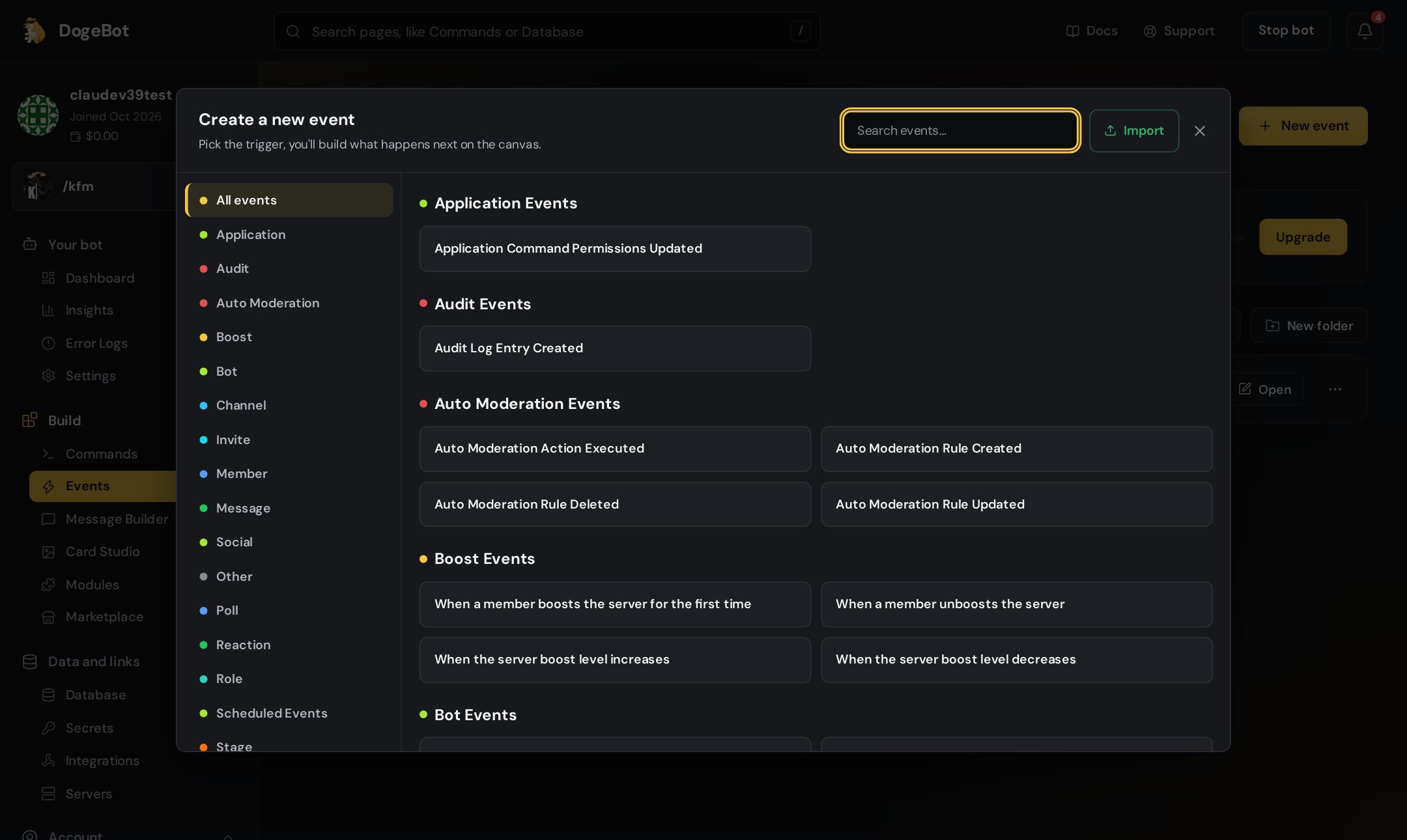
The event list. Pick a group on the left, or search.
How to pick an event
1
Open Events
In the left menu, under Build, click Events.
2
Press New Event
A list of every event opens, sorted into groups, starting with All events. Use the search box to find one fast, like
joins.3
Pick one and build
Click the event. The builder opens with the event at the top. Add Steps and Checks under it, then press Save. Events have no Inputs, because nobody types anything.
4
Make sure it is on
Check that the event is switched on in your Events list.
All the events
Message events
Messages sent, edited, deleted or pinned, typing, and poll votes.
Member events
Joining, leaving, bans, roles, nicknames and status.
Reaction events
Emoji reactions added or removed.
Voice events
Joining, leaving, moving, muting, deafening and streaming.
Channel and thread events
Channels and threads made, changed or removed.
Role, boost and invite events
Roles, server boosts and invite links.
Timed events list
Things that run on a clock.
Bot, alerts and other events
Your bot starting, variables changing, YouTube, Twitch and TikTok, webhooks, AutoMod.
Server, scheduled, stage and sticker events
Changes to the server itself, scheduled events, stages and stickers.
Ideas to start with
What are the
{event_...} words? Every event gives you variables about what happened, like {event_user_name} (who did it) or {event_message_content} (what they wrote). Each page lists them. You type them into your blocks just like any other variable.Switching events on and off
Use the switch next to an event in the Events list or in the builder’s side list. An event that is off shows “Off, it won’t run” and does nothing until you switch it on again. It takes about 10 seconds to take effect.Things to know
- For message events, turn on the Message Content Intent in the Discord Developer Portal.
- For join and leave events, turn on the Server Members Intent.
- Not working? Open Error Logs.