
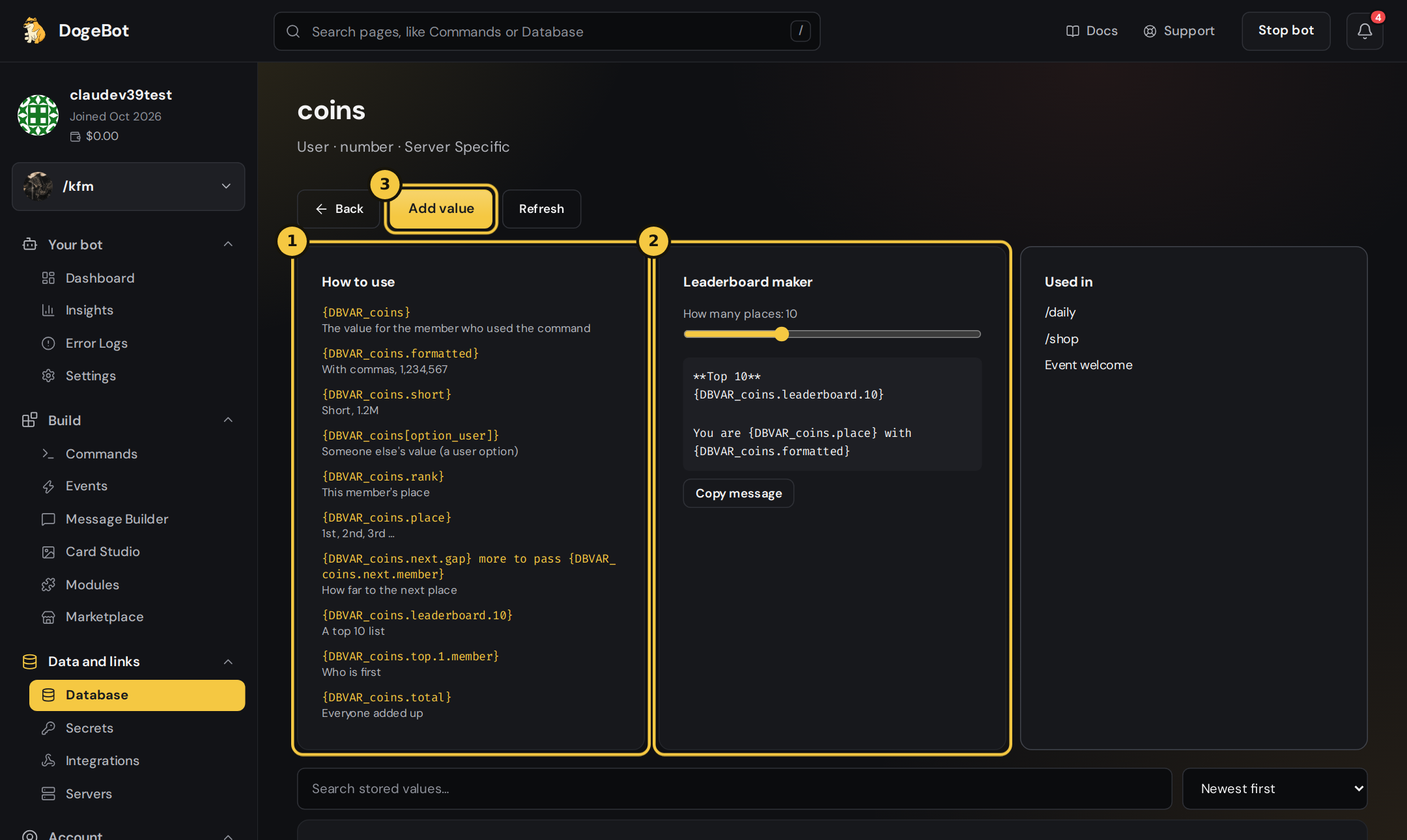
Press Stored values on the Database page. The How to use list (1) shows every ending for that variable, and the Leaderboard maker (2) writes a whole message for you.
Nicer numbers
Work on any number.Leaderboards (User variables)
These look at every member’s value in this server. They only work on User variables, like coins or XP.
Every ending that is about one member can point at someone else with
[ ]:
A leaderboard message in one line
Lists (Collections)
These work on Collection variables, and on User variables that store a list.
In
.each[...]:
$valueis the thing,$numbercounts 1, 2, 3,\nmeans a new line.
Lists of items with keys
A shop is a list where every item has keys, likename, price and stock. These endings read inside the items.
Objects
For an Object variable, put a dot and the key name:{DBVAR_inventory.weapons.length}, {DBVAR_inventory.weapons.join[, ]}.