
1
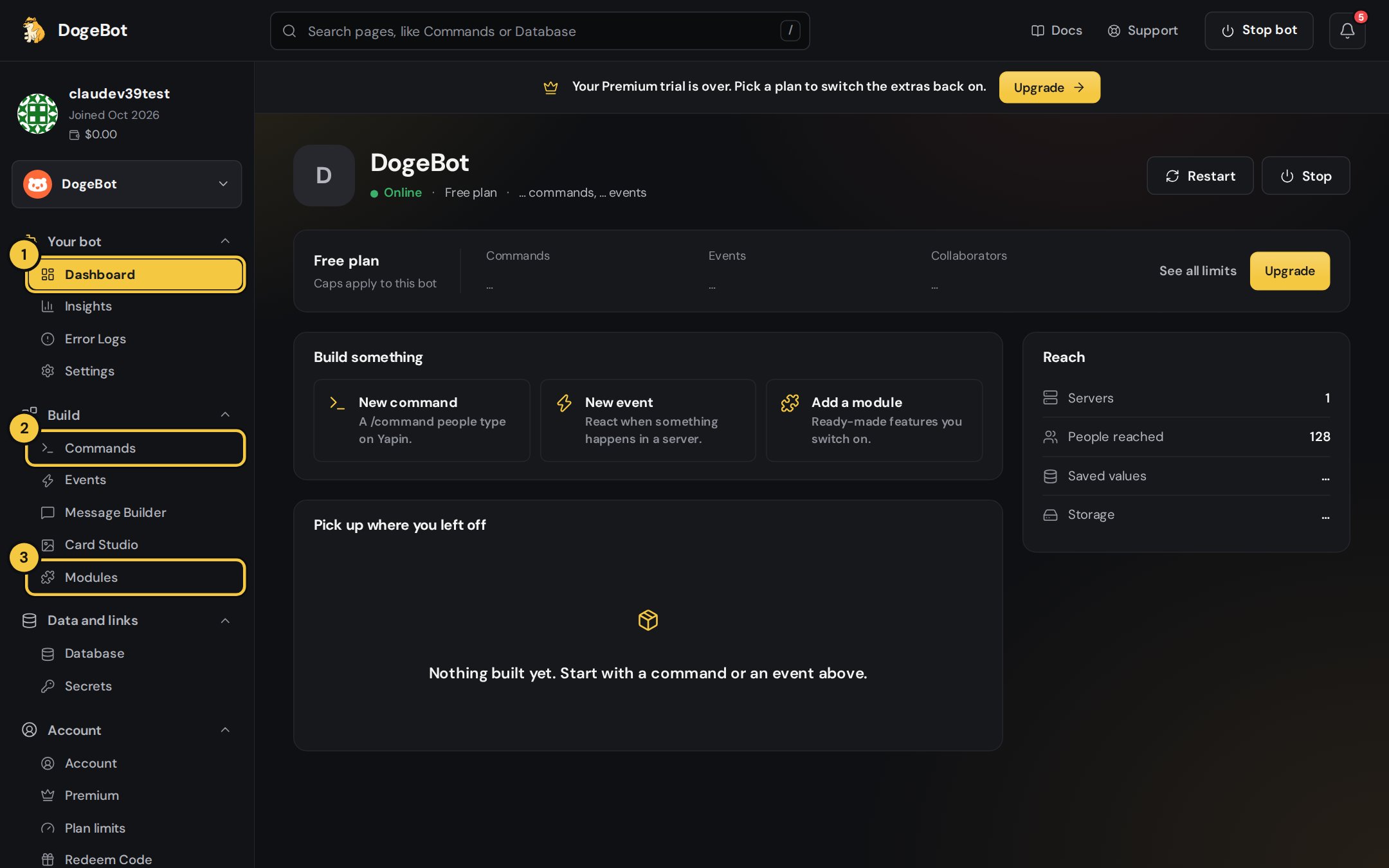
1. Dashboard
Your bot at a glance: whether it’s online, your plan, how many commands and events you’ve used, and quick buttons to build something.
2
2. Commands
The
/commands people type in your server. Each one opens in the Command Builder.3
3. Modules
Ready-made features you switch on: Moderation, Economy, Giveaways, Honeypot and more.
4
4. Build something
Start a new command, a new event or add a module straight from here.
Where to go next
Connect your bot
Sign in with Yapin and add your bot’s token.
Make a command
Your first /command, step by step.
Events
React to joins, messages, reactions, buttons and voice.
Every variable
All the
{yp_…} values and how to use them.Messages and cards
Embeds, layouts, buttons, pictures and emojis.
Modules
Moderation, Economy, Giveaways, Honeypot…
Limits and Premium
What Yapin allows and what Premium adds.
FAQ
Quick answers to common questions.