
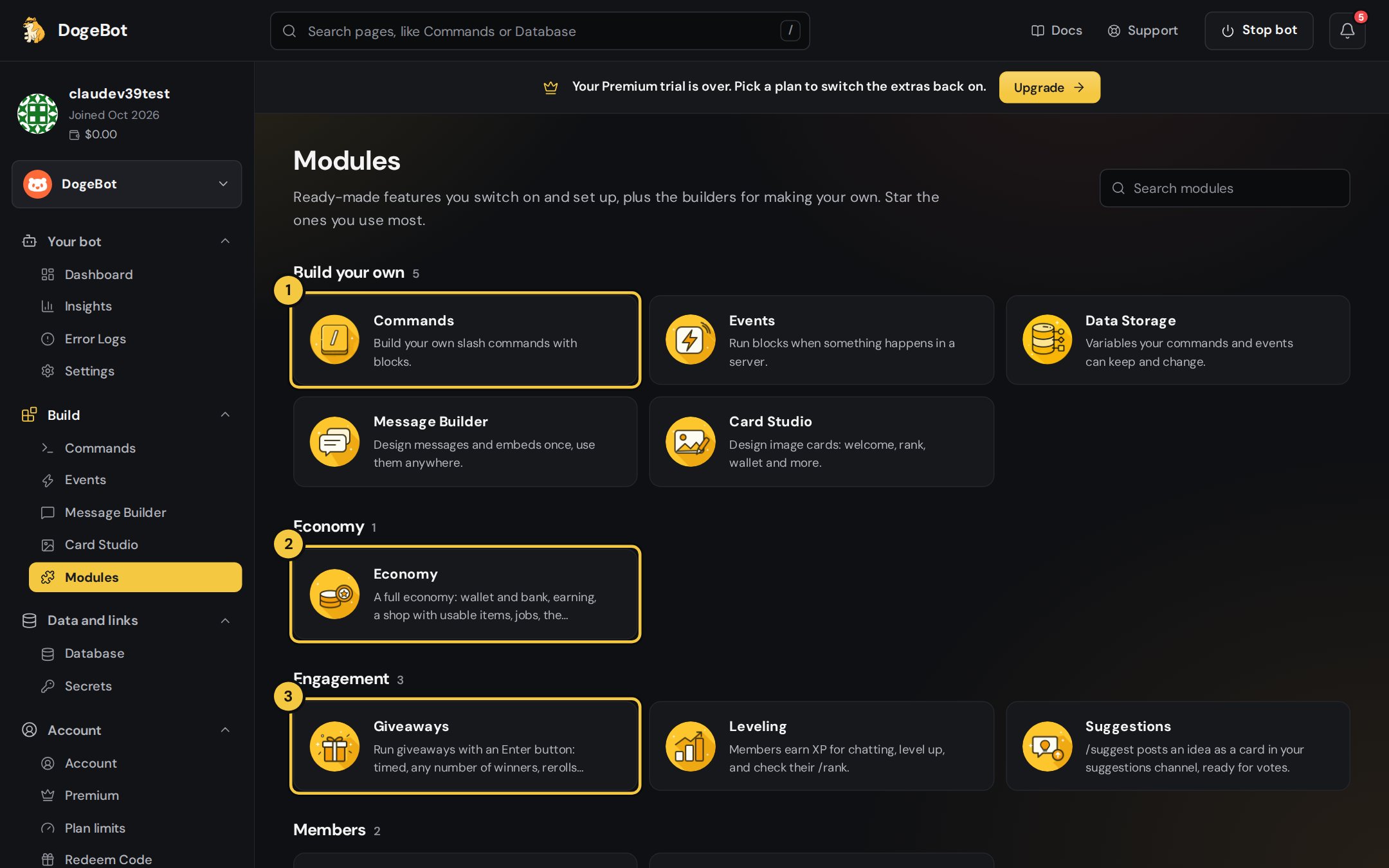
1
1. Build your own
Commands, Events, Data Storage, the Message Builder and Card Studio: the tools for making anything yourself.
2
2. Ready-made modules
Grouped by what they’re for, like Economy. Click one to switch it on and set it up.
3
3. Giveaways and more
Engagement, Members, Moderation and Messages modules further down. Use Search modules to jump straight to one.
Saving your changes
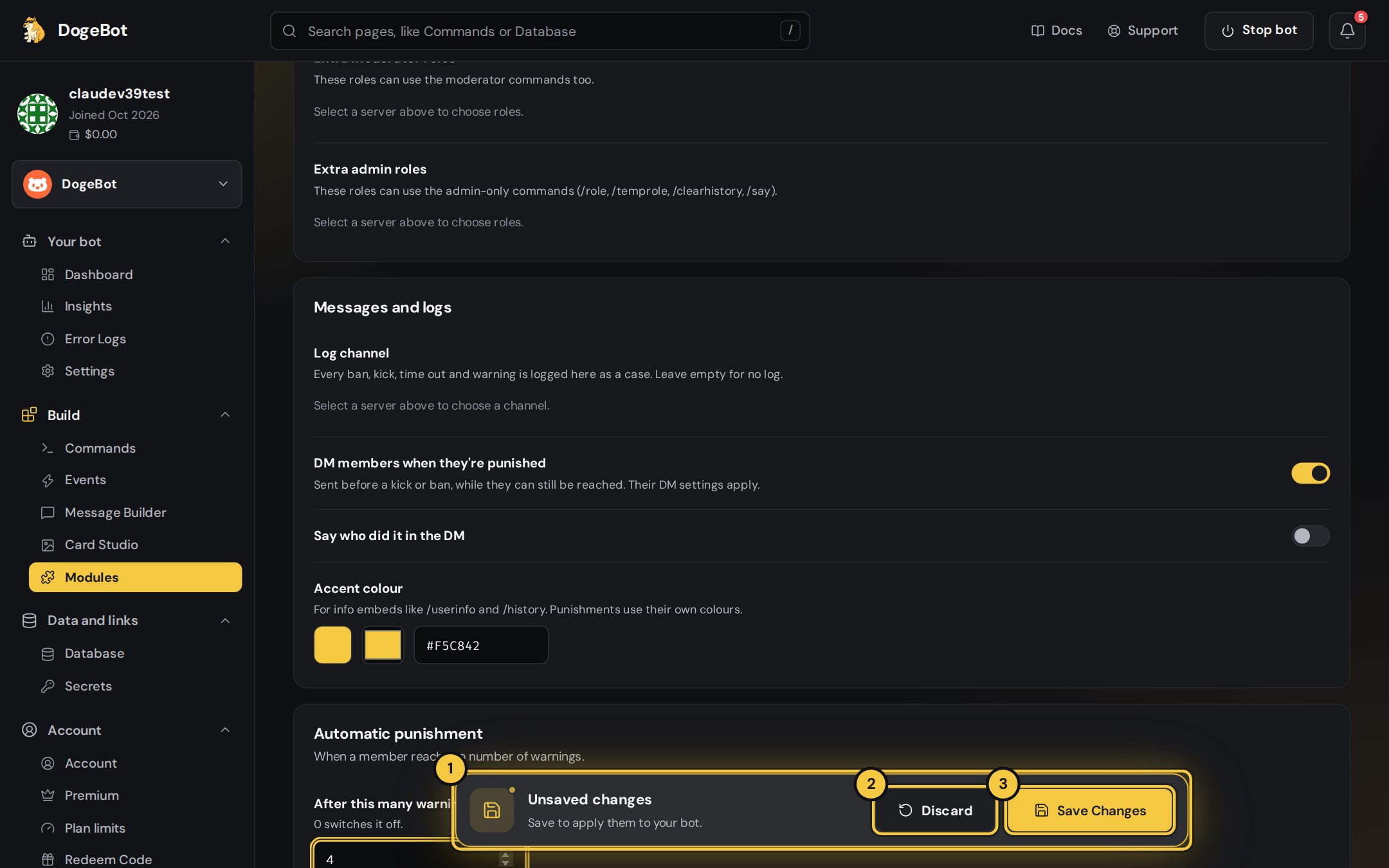
1
1. Unsaved changes
As soon as you change something, this bar slides up from the bottom.
2
2. Discard
Puts everything back the way it was.
3
3. Save Changes
Applies them to your bot.
Ctrl + S works too.Commands and events from modules
At the bottom of each module page you see the commands and events it adds. Each one has its own on/off switch, and modules made of blocks can be opened in the builder to make them your own. Reset to default puts them back.Module commands count towards Yapin’s 100 commands per bot.